
Executing an OpenFOAM Motorbike Simulation
The instructions on this page will show you how to execute the OpenFOAM motorbike tutorial from the workflow catalog template with the Fuzzball web UI and CLI. For both methods you can choose a number of parameters.
- The workflow template uses an ephemeral
ScratchVolumeto run the simulation. In addition, you provide a persistentDataVolume. If provided, the case folder will be saved in theResultsPathdirectory on the persistent volume. - If you provide an
S3BucketandS3Secret, a tar archive of the case folder will also be saved to AWS S3 as part of the egress stage of the workflow. - You can separately choose the resources used for the serial steps of the workflow
(
UtilityJobCores,UtilityJobMemory) and the parallel steps (SimulationOrMeshJobCores,SimulationOrMeshJobMemory,SimulationOrMeshJobNodes). - You can choose the
Coefficientsused inDecomposeParDict.
You can run the OpenFOAM motorbike workflow template from the workflow
catalog page by locating the OpenFOAM motorbike card – the CIQ
tag marks it as a template provided by CIQ – and clicking it to open its detail page:
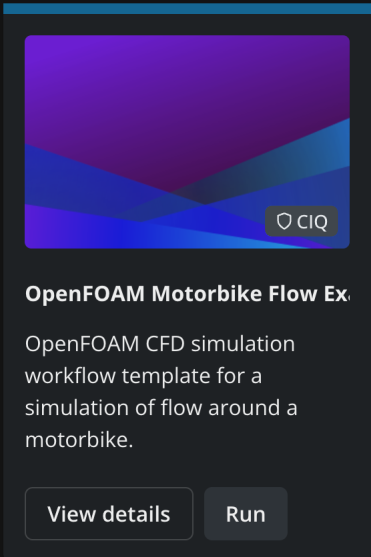
The template’s detail page shows a Configure panel on the right where you supply values for the configurable parameters of the template. You can examine all the options and their documentation in that panel, shown below.
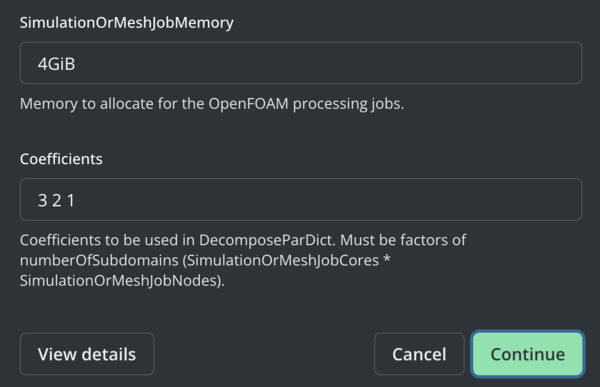
If you keep all the default options, you will run the OpenFOAM motorbike tutorial workflow with 1 CPU core for the utility steps, 6 Cores for the parallel steps and results saved to a persistent volume (but not S3). You can name the run in the Run Name field at the top of the panel or leave it blank. Click RUN to render the workflow template with your values, validate it, and submit it.
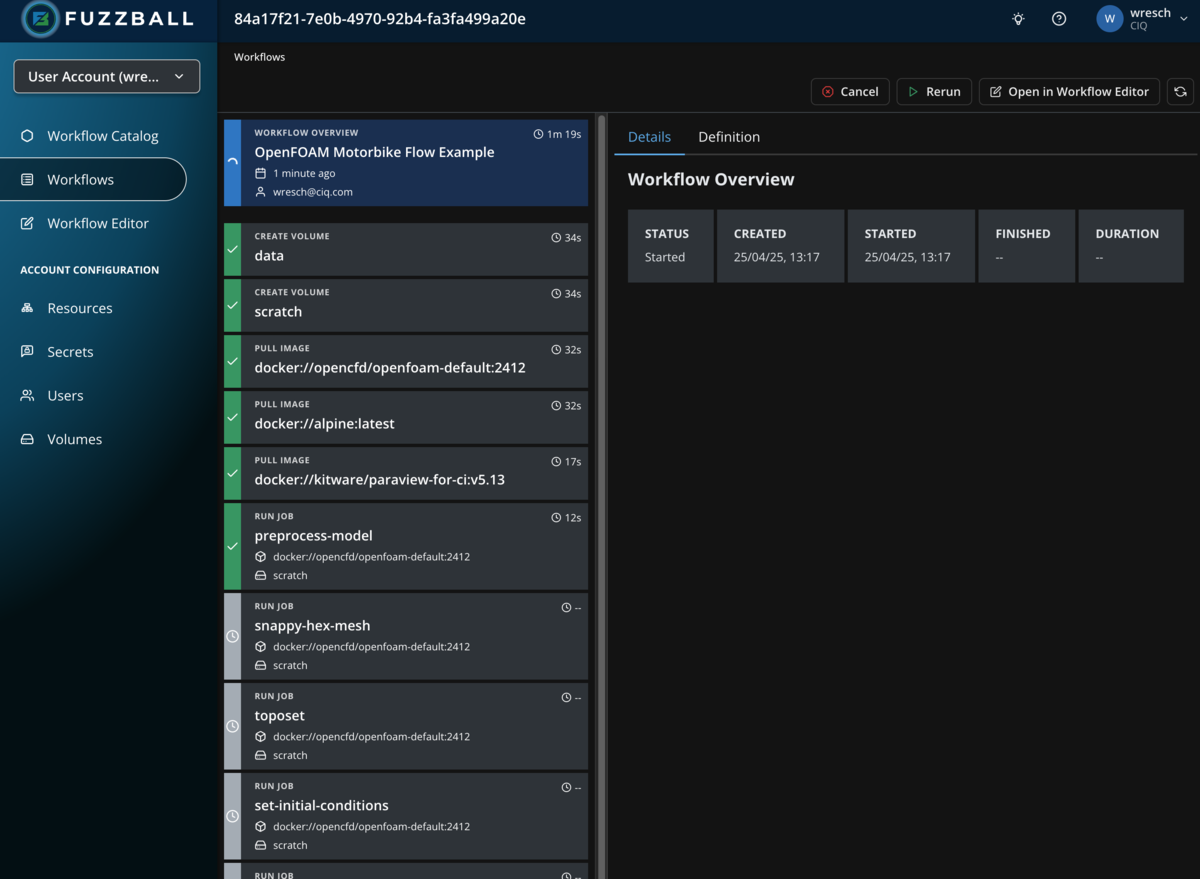
Once the workflow has been submitted successfully you are taken straight to its status page, where you can follow the status of the workflow’s stages.
Select a stage that produces output and choose the Logs tab to see the output generated by the stage as we did in an earlier example with a manually written workflow.
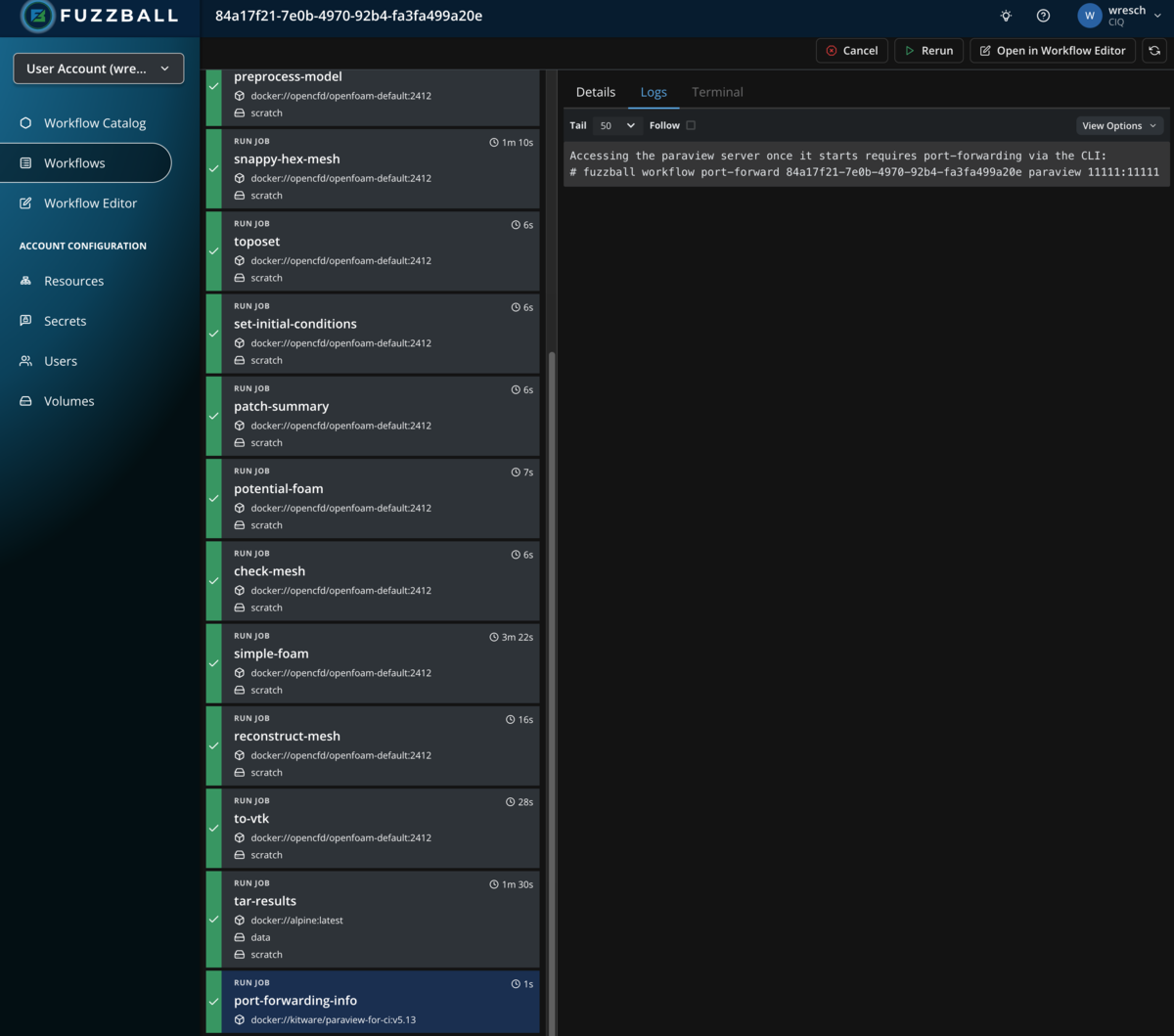
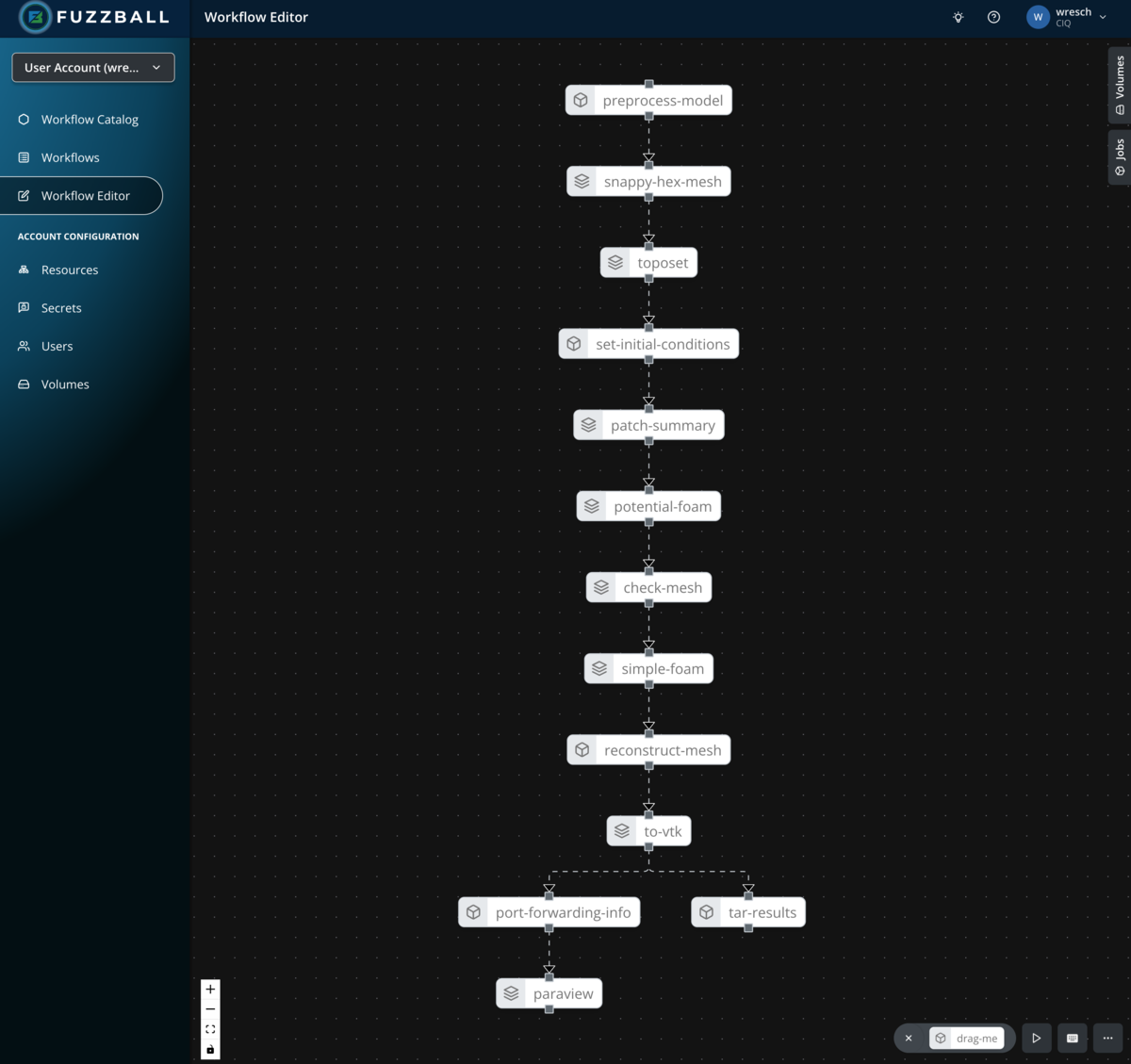
By clicking OPEN IN EDITOR in the top right corner, you can open the Fuzzfile generated from the template and your inputs in the workflow editor. In the example above the graph of jobs looks like so:
To run this workflow through the CLI you will need access to the Fuzzball CLI. You can install it using the Fuzzball CLI installation instructions.
When using the CLI to execute workflow templates from the workflow catalog, you need to supply parameters in the form of a YAML file. For the OpenFoam motorbike workflow you can create this file like so:
$ cat > motorbike_values.yaml <<EOF
values:
  - name: OpenFoamVersion
    string_value: "2412"
  - name: OpenFoamContainerUri
    string_value: docker://opencfd/openfoam-default
  - name: ParaviewContainerUri
    string_value: ""
  - name: DataVolume
    string_value: volume://user/persistent
  - name: S3Bucket
    string_value: ""
  - name: ResultPath
    string_value: "results/openfoam"
  - name: ResultName
    string_value: openfoam-motorbike
  - name: WmProjectDir
    string_value: /usr/lib/openfoam/openfoam
  - name: UtilityJobCores
    uint_value: 1
  - name: UtilityJobMemory
    string_value: 1GiB
  - name: SimulationOrMeshJobCores
    uint_value: 6
  - name: SimulationOrMeshJobNodes
    uint_value: 1
  - name: SimulationOrMeshJobMemory
    string_value: 4GiB
  - name: Coefficients
    string_value: 3 2 1
EOF
Next you need to identify the OpenFOAM workflow template. fuzzball workflow catalog start accepts
the template name, so --values motorbike_values.yaml 'OpenFOAM Motorbike Flow Example' needs no ID
at all, provided no other catalog repository publishes a template of that name. If you would rather
work with the ID, it can be obtained in a few different ways. For example:
$ fuzzball workflow catalog list --provider CIQ --name '*openfoam*'
ID                                   | NAME
8d88f4e4-649e-516e-bfd0-dc0b4594588e   OpenFOAM Motorbike Flow Example
Note that the ID above is an example value: template IDs are specific to a cluster and to the
catalog repository the template came from, so yours will differ. If you have jq
installed you could make use of the option to return json format metadata about all templates as
shown below:
$ id="$(fuzzball workflow catalog list --provider CIQ --name '*openfoam*' -o json | jq -r '.[0].id')"Or you can copy and paste the workflow template id instead of assigning it to a variable. Once you have the id of the workflow template and a values file you can use them to create a Fuzzfile for submission like so:
$ fuzzball workflow catalog start --values motorbike_values.yaml $id
Workflow "f70faf1f-5d9f-44c4-ba52-216b2e129938" started.
Check on the status of your workflow with the following command:
$ fuzzball workflow describe f70faf1f-5d9f-44c4-ba52-216b2e129938
Name:      OpenFOAM Motorbike Flow Example
Email:     user1@ciq.com
UserId:    87145648-b830-4291-ab7e-40880d61334e
Status:    STAGE_STATUS_STARTED
Cluster:   fuzzball-aws-stable
Created:   2026-04-06 01:39:58PM
Started:   2026-04-06 01:39:58PM
Finished:  N/A
Error:


KIND     | STATUS  | NAME                                   | DURATION
Workflow | Started | f70faf1f-5d9f-44c4-ba52-216b2e129938   | 5s
Volume   | Pending | data                                   |
Volume   | Pending | scratch                                |
Image    | Pending | docker://opencfd/openfoam-default:2412 |
Image    | Pending | docker://alpine:latest                 |
Job      | Pending | preprocess-model                       |
Job      | Pending | snappy-hex-mesh                        |
Job      | Pending | toposet                                |
Job      | Pending | set-initial-conditions                 |
Job      | Pending | patch-summary                          |
Job      | Pending | potential-foam                         |
Job      | Pending | check-mesh                             |
Job      | Pending | simple-foam                            |
Job      | Pending | reconstruct-mesh                       |
Job      | Pending | to-vtk                                 |
Job      | Pending | tar-results                            |

$ fuzzball workflow log f70faf1f-5d9f-44c4-ba52-216b2e129938 preprocess-model | head -20
/*--------------------------------*- C++ -*----------------------------------*\
| =========                 |                                                 |
| \\      /  F ield         | OpenFOAM: The Open Source CFD Toolbox           |
|  \\    /   O peration     | Version:  v2412                                 |
|   \\  /    A nd           | Website:  www.openfoam.com                      |
|    \\/     M anipulation  |                                                 |
\*---------------------------------------------------------------------------*/
FoamFile
{
    version     2.0;
    format      ascii;
    class       dictionary;
    object      decomposeParDict;
}
// * * * * * * * * * * * * * * * * * * * * * * * * * * * * * * * * * * * * * //

numberOfSubdomains 6;

method          hierarchical;