
Executing a LAMMPS Workflow
This workflow template has a number of parameters including the following:
- The workflow template describes an ephemeral
ScratchVolumethat will be used to set up a LAMMPS simulation by theStageinScriptdownloaded fromExperimentUrlduring the ingress phase of the workflow. A stagein script takes the name of the experiment (RunName) as an argument. - If a
StageoutScriptis provided it will also be downloaded fromExperimentUrland will take care to save the LAMMPS output to, for example, the persistentDataVolumewhich will be mounted if aStageoutScriptis used. The stageout script takes the name of the run as well as an output location as an argument. - Resources used for the simulation run as well as optional LAMMPS arguments.
This allows you the flexibility to set up many different LAMMPS runs. The default values
will set up and run a simple Lennard Jones fluid with input data from the
LAMMPS tutorial inputs repository and
the data will be written to a persistent DataVolume. In this example the StageinScript
looks like so:
#!/bin/sh
# used to set up example from https://github.com/lammpstutorials/lammpstutorials-inputs
set -ex

run="${1}"
mkdir -p "${run}" && cd "${run}"

commit="4e249a6f7a0f8f8057bf72c07d39841a297e69a6"
url="https://raw.githubusercontent.com/lammpstutorials/lammpstutorials-inputs/${commit}"
wget -q -O input.lammps "${url}/level1/lennard-jones-fluid/my-first-input/input.lammps"
And this is the StageoutScript:
#!/bin/sh
set -ex

run="${1}"
dest="${2}"

mkdir -p "${dest}"
if [ -d  "${run}" ] ; then
    tar -czf "${dest}/${FB_WORKFLOW_ID}-${run}.tar.gz" "${run}"
    echo "saved results to ${dest}/${FB_WORKFLOW_ID}-${run}.tar.gz"
else
    echo "did not save results to persistent store"
fi
The instructions on this page will show you how to execute a LAMMPS CPU workflow using the workflow catalog with the Fuzzball web UI and CLI.
You can run the LAMMPS CPU workflow template with your inputs or example data from the
workflow catalog page by locating the LAMMPS CPU card – the CIQ
tag marks it as a template provided by CIQ – and clicking it to open its detail page.
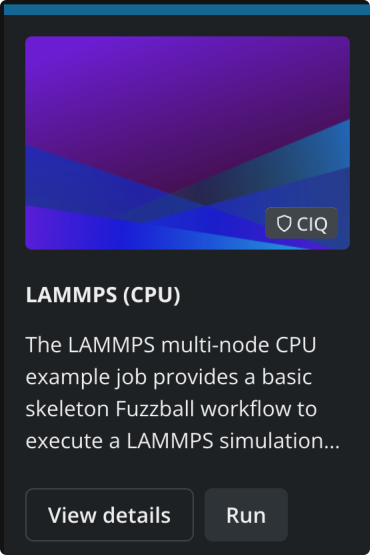
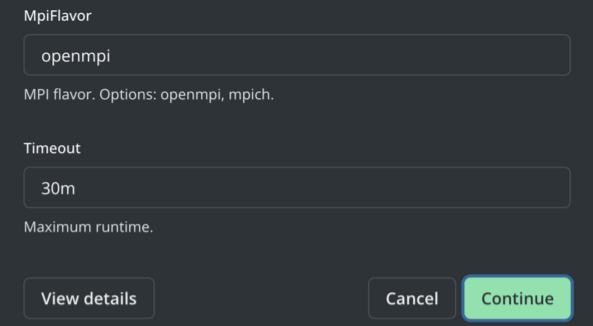
The template’s detail page shows a Configure panel on the right where you supply values for the configurable options of the template. You can examine all the options and their documentation and either accept the defaults or provide your own. You can also name the run in the Run Name field at the top of the panel, or leave it blank. Click RUN to render the workflow with your values, validate it, and submit it.
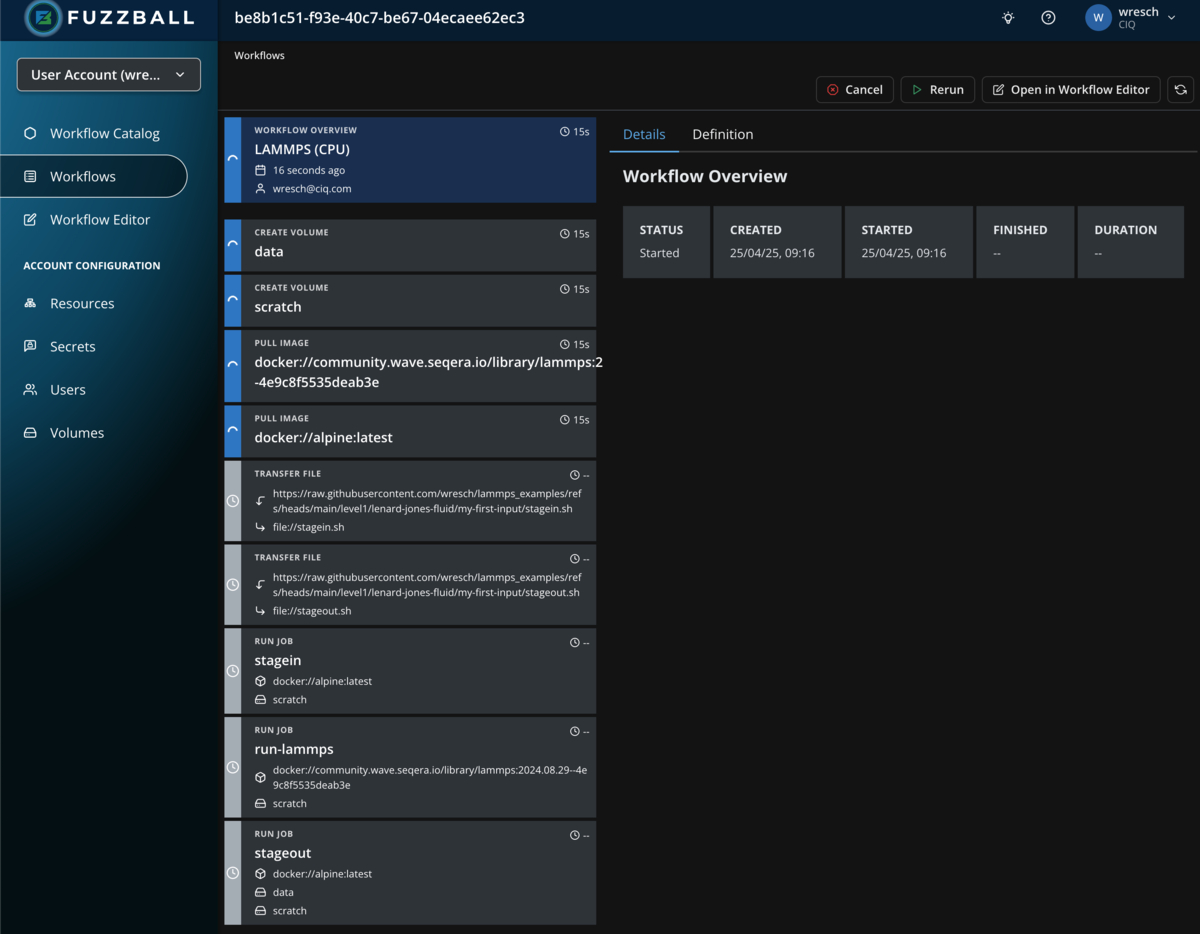
Once the workflow has been submitted successfully you are taken straight to its status page, where you can follow the status of the workflow’s stages.
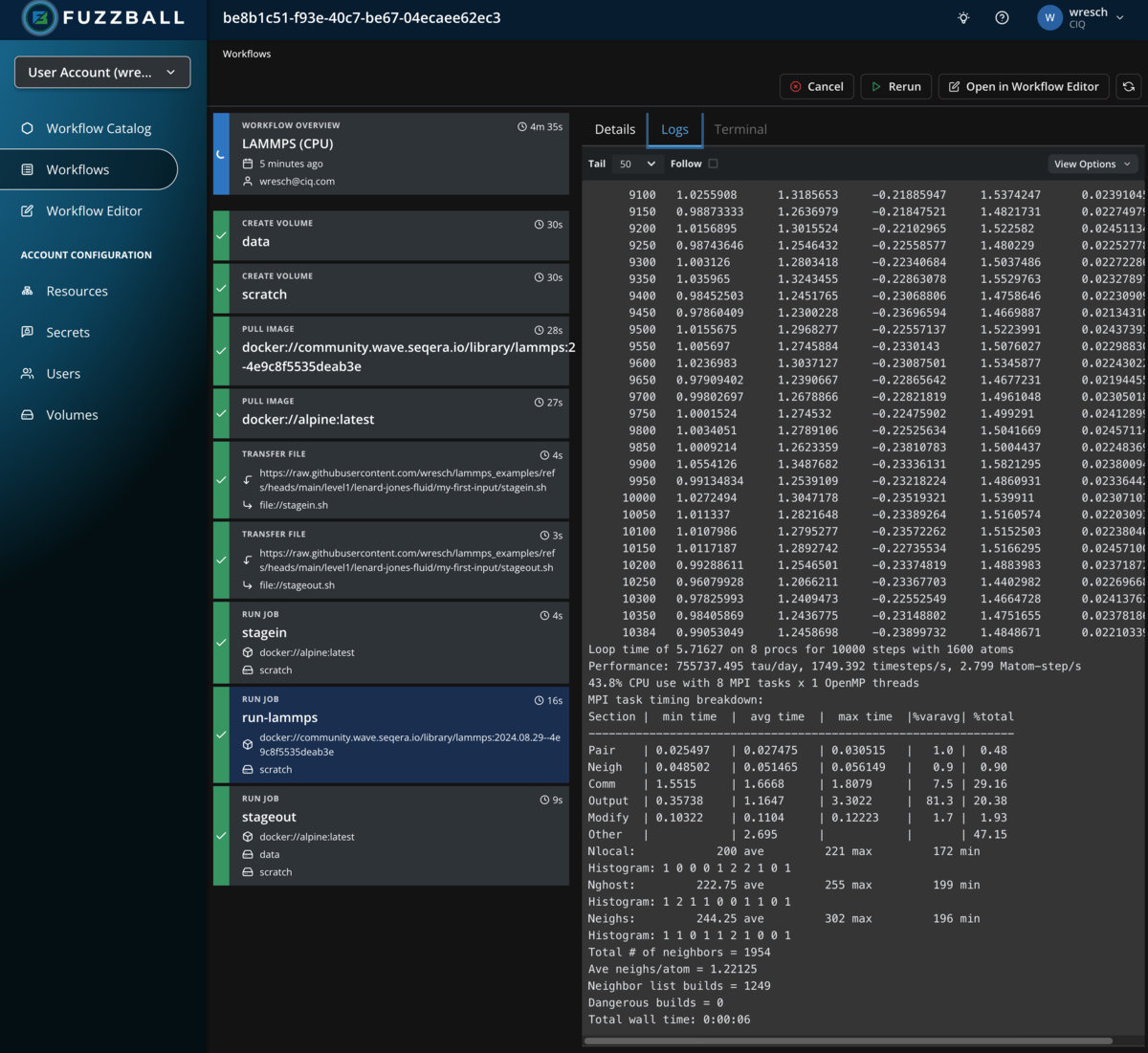
Select a stage that produces output and choose the Logs tab to see the output generated by the
stage as we did in an earlier
example with a manually
written workflow. In the example below, we see the output of the stagein stage, which fetches the
input deck for the run
To run this workflow through the CLI you will need access to the Fuzzball CLI. You can install it using the Fuzzball CLI installation instructions.
When using the CLI to execute workflow templates from the workflow catalog you need to supply parameters in the form of a yaml file. For the LAMMPS workflow simulating a simple Lennard Jones fluid you can create this file like so:
$ cat > lj.yaml <<EOF
values:
  - name: "ScratchVolume"
    string_value: "volume://user/ephemeral"
  - name: "DataVolume"
    string_value: "volume://user/persistent"
  - name: "ExperimentUrl"
    string_value: "https://raw.githubusercontent.com/wresch/lammps_examples/refs/heads/main/level1/lenard-jones-fluid/my-first-input"
  - name: "StageinScript"
    string_value: "stagein.sh"
  - name: "StageoutScript"
    string_value: "stageout.sh"
  - name: "RunName"
    string_value: "lj-my-first-input"
  - name: "OutputPath"
    string_value: "results/lammps_cpu"
  - name: "LammpsContainerUri"
    string_value: "docker://community.wave.seqera.io/library/lammps:2024.08.29--4e9c8f5535deab3e"
  - name: "LammpsOptions"
    string_value: ""
  - name: "Cores"
    uint_value: 4
  - name: "Memory"
    string_value: "32768MiB"
  - name: "Nodes"
    uint_value: 2
  - name: "MpiFlavor"
    string_value: "openmpi"
  - name: "Timeout"
    string_value: "30m"
EOF
Next you need to identify the LAMMPS workflow template. The examples below look up its ID, but
fuzzball workflow catalog start also accepts the template name – passing 'LAMMPS (CPU)' in
place of the ID works as long as no other catalog repository publishes a template of that name.
The IDs below are example values: template IDs are specific to a cluster and to the catalog
repository the template came from, so yours will differ.
$ fuzzball workflow catalog list --provider CIQ --name '*lammps*'
ID                                   | NAME
0d0b7e7f-4030-5816-9b38-3b77a16ad5f0 | LAMMPS (GPU)
313fe313-7bb8-5657-be9c-9da4f3f7dcef | LAMMPS (CPU)
...

$ id="$(fuzzball workflow catalog list --provider CIQ --name '*lammps (cpu)*' | awk -F'|' '$2 ~ /LAMMPS/ {print $1}' | tr -d ' ')"
Or if you have jq installed you could make use of the option to return json format metadata about
all templates as shown below:
$ id="$(fuzzball workflow catalog list --provider CIQ --name '*lammps (cpu)*' -o json | jq -r '.[0].id')"Or you can copy and paste the workflow template id instead of assigning it to a variable. Once you have the id of the workflow template and a values file you can use them to create a Fuzzfile for submission like so:
$ fuzzball workflow catalog start --values lj.yaml $id
Workflow "6ee091f5-900b-4264-8ea4-a506326a674d" started.
Then you can check on the status of the workflow:
$ fuzzball workflow describe 6ee091f5-900b-4264-8ea4-a506326a674d
Name:      LAMMPS (CPU)
Email:     wresch@ciq.com
UserId:    87145648-b830-4291-ab7e-40880d61334e
Status:    STAGE_STATUS_FINISHED
Cluster:   fuzzball-aws-stable
Created:   2026-04-06 02:19:14PM
Started:   2026-04-06 02:19:14PM
Finished:  2026-04-06 02:25:34PM
Error:


KIND     | STATUS   | NAME                                          | DURATION
Workflow | Finished | 6ee091f5-900b-4264-8ea4-a506326a674d          | 6m20s
Volume   | Finished | data                                          | 1s
Volume   | Finished | scratch                                       | 1s
File     | Finished | https://raw.githubusercontent.com/wresch/l... | 2s
File     | Finished | https://raw.githubusercontent.com/wresch/l... | 1s
Image    | Finished | docker://community.wave.seqera.io/library/... | 1m2s
Image    | Finished | docker://alpine:latest                        | 1s
Job      | Finished | stagein                                       | 1s
Job      | Finished | run-lammps                                    | 12s
Job      | Finished | stageout                                      | 6s

$ fuzzball workflow log 6ee091f5-900b-4264-8ea4-a506326a674d run-lammps
LAMMPS (29 Aug 2024)
OMP_NUM_THREADS environment is not set. Defaulting to 1 thread. (src/comm.cpp:98)
  using 1 OpenMP thread(s) per MPI task
Created orthogonal box = (-20 -20 -20) to (20 20 20)
  2 by 2 by 2 MPI processor grid
Created 1500 atoms
  using lattice units in orthogonal box = (-20 -20 -20) to (20 20 20)
  create_atoms CPU = 0.010 seconds
...
Loop time of 6.36845 on 8 procs for 10000 steps with 1600 atoms
Performance: 678343.507 tau/day, 1570.240 timesteps/s, 2.512 Matom-step/s
41.4% CPU use with 8 MPI tasks x 1 OpenMP threads
MPI task timing breakdown:
Section |  min time  |  avg time  |  max time  |%varavg| %total
---------------------------------------------------------------
Pair    | 0.02315    | 0.027141   | 0.03132    |   1.5 |  0.43
Neigh   | 0.049026   | 0.051735   | 0.05648    |   0.9 |  0.81
Comm    | 1.8219     | 1.9563     | 2.1093     |   6.2 | 30.72
Output  | 0.38267    | 1.2437     | 3.506      |  82.6 | 19.53
Modify  | 0.10159    | 0.11591    | 0.13687    |   3.5 |  1.82
Other   |            | 2.974      |            |       | 46.69
Nlocal:            200 ave         221 max         172 min
Histogram: 1 0 0 0 1 2 2 1 0 1
Nghost:         222.75 ave         255 max         199 min
Histogram: 1 2 1 1 0 0 1 1 0 1
Neighs:         244.25 ave         302 max         196 min
Histogram: 1 1 0 1 1 2 1 0 0 1
Total # of neighbors = 1954
Ave neighs/atom = 1.22125
Neighbor list builds = 1249
Dangerous builds = 0
Total wall time: 0:00:06