
Using Secrets in Workflows
After your secrets have been created, you can reference them when building your workflows in the Fuzzball web UI or within a Fuzzfile to access containers in a private container registry or data within a private S3 bucket.
You can configure a secret to access an S3 bucket by first configuring a volume for your workflow.
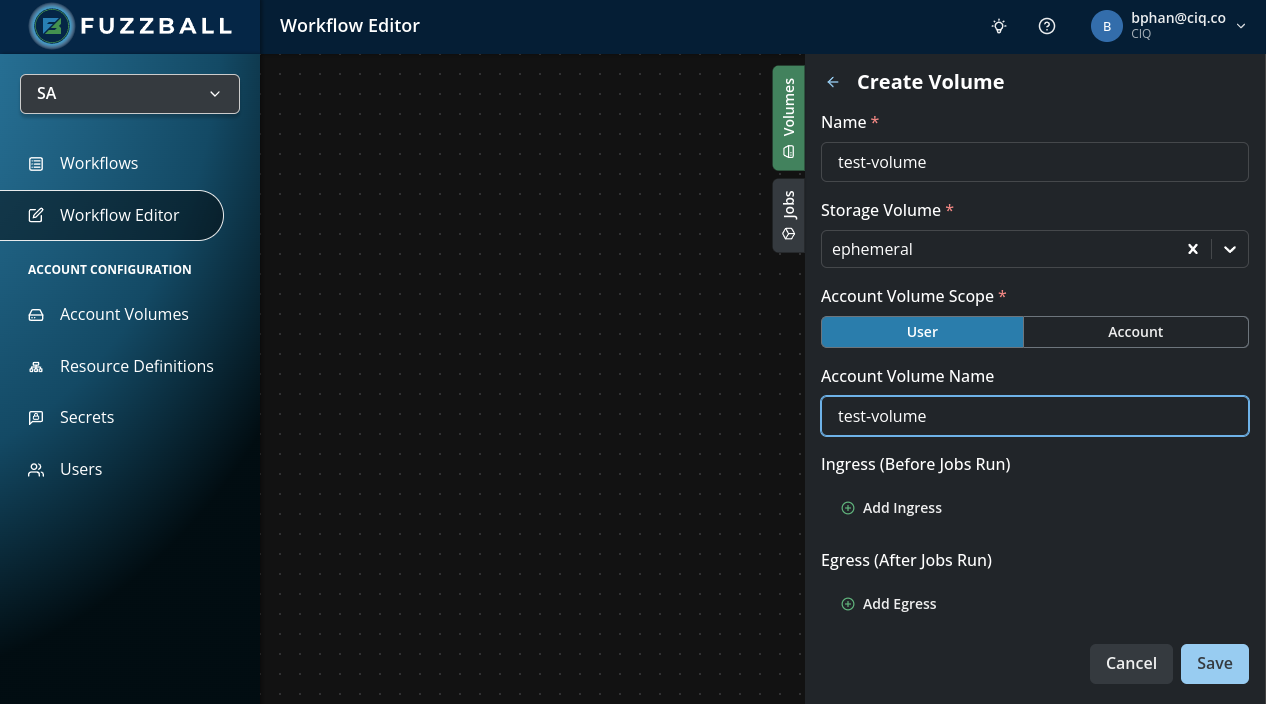
The image below has configured an ephemeral
volume with the reference data for the
workflow. Clicking ADD INGRESS brings up a dialog where you can configure data
ingress for your workflow.
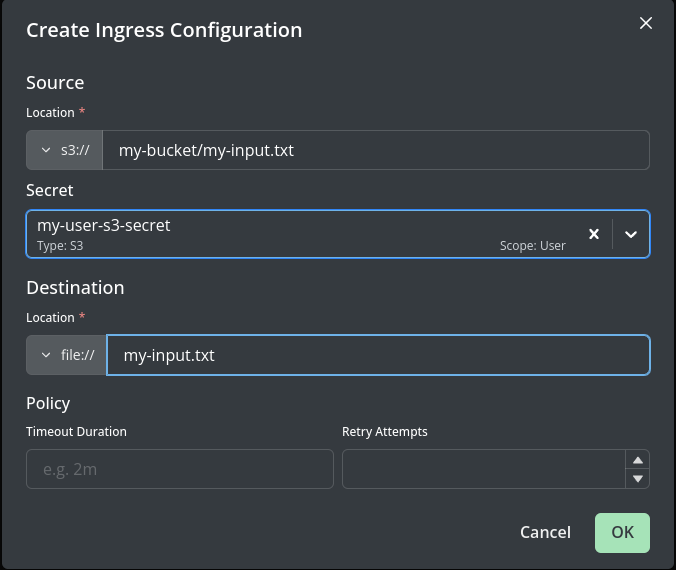
The image below has set up an ingress configuration which reads from Source URI s3://my-bucket
and stages the data at the root of the volume as Destination URI file://my-input.tgz. The
Secret drop down lists only the secrets that can be used for the source you chose – here, only
S3 secrets – and my-user-s3-secret is selected. Timeout is optional. You can save this
configuration by clicking DONE at the bottom right of the dialog.
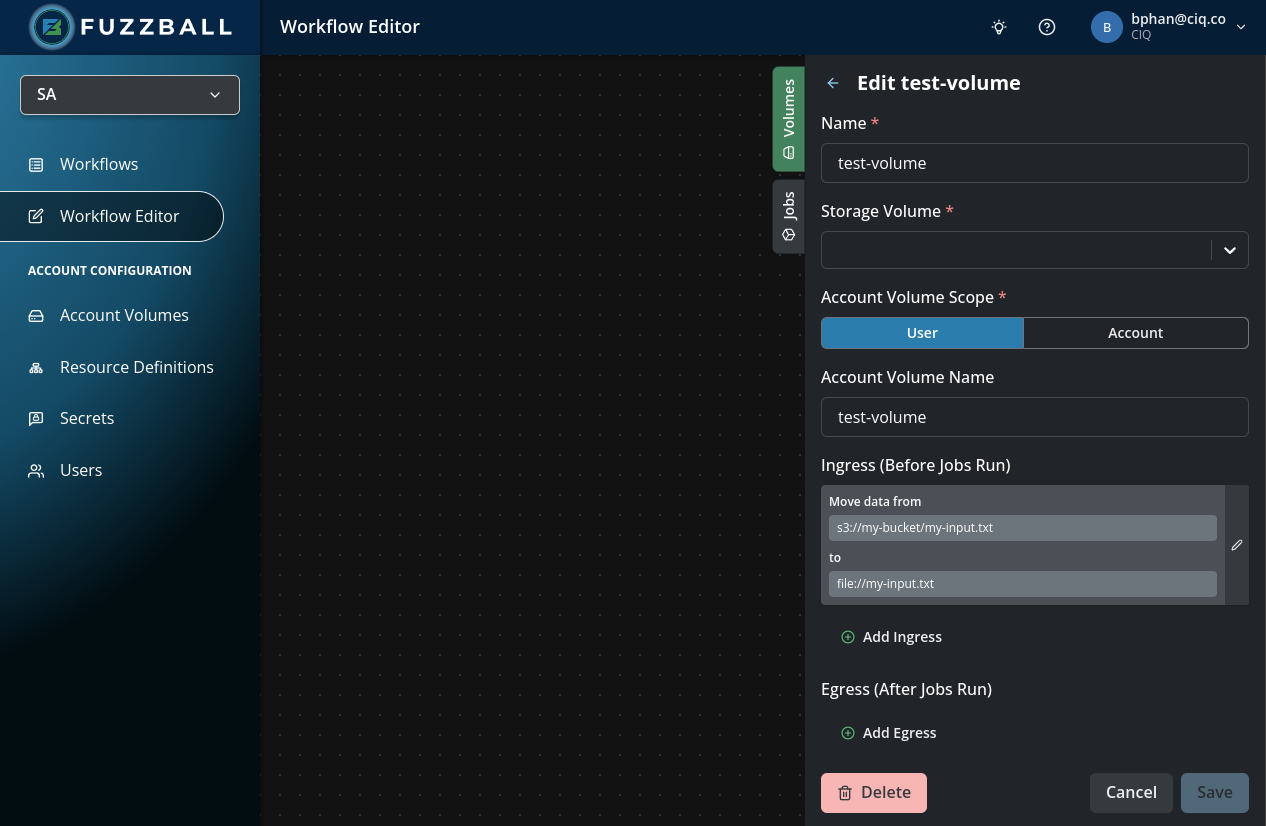
The saved ingress now appears under Ingress (Before Jobs Run) as s3://my-bucket ->
file://my-input.tgz, and you can return to editing the remainder of your workflow.
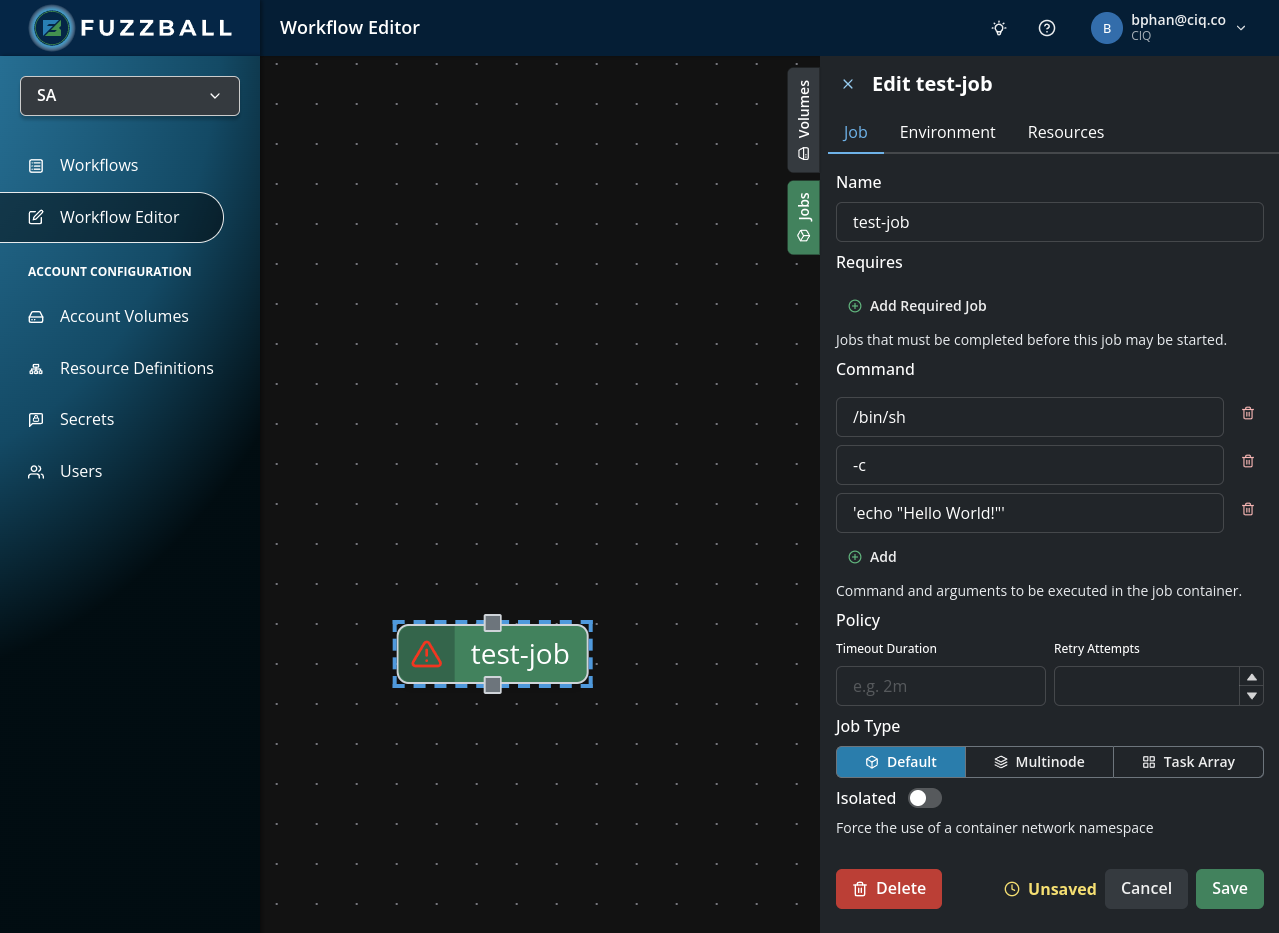
You can also configure a secret to access a container in a private registry by first selecting a
job’s configuration to edit. In the image
below, we have selected job hello to edit.
You can specify your container from a private registry and the secret to access it by navigating to
the Environment tab of your job and entering the full image reference – registry, container
name, and tag – in the single Image URI field. You can configure the secret to access this
container with the Image pull secret drop down, which lists the
OCI Image secrets available to you;
leave it empty for public images. In the image below, we would like to use a container at URI
docker://privaterepo/alpine-extra:latest. To access this container, we use OCI secret
my-oci-secret.
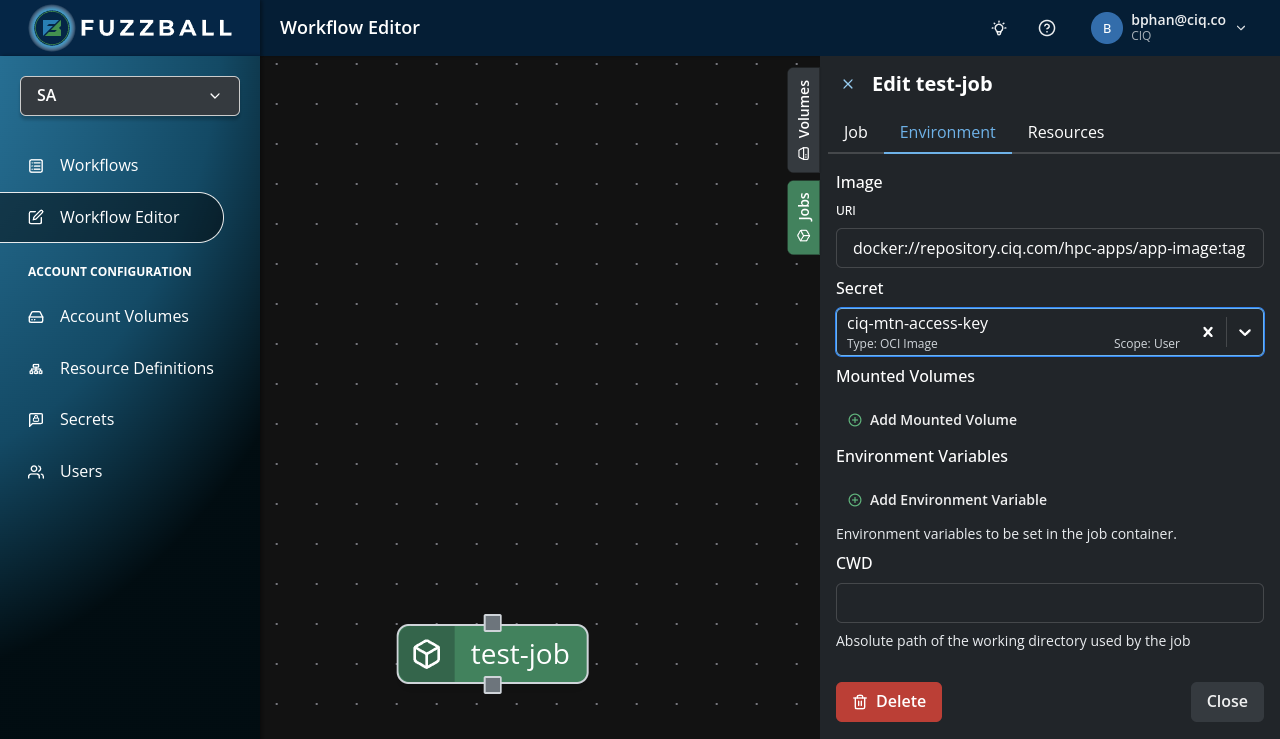
Image Pull Secrets: When editing a workflow job or service, you can specify an image pull secret using the Image pull secret dropdown on the Environment tab. This dropdown is filtered to show only secrets of type OCI Image that are visible to your user account. When an Image URI is set, the dropdown further limits choices to image secrets whose trusted domains match that URI’s registry hostname (the same rule used at workflow submit time).
Migration from legacy workflows: If you open an existing workflow draft that used the unsupported image.secrets (plural map) field, the Web UI will automatically convert the first entry to the singular image.secret field. If the legacy workflow had multiple secrets listed, only the first one will be preserved. You should verify that your workflow uses only one image pull secret.
Inside of the YAML workflow specification, secrets are referenced via a URI of the form
secret://<scope>/<secret name> where scope is user, group, organization, or cluster. The
account scope is also accepted as a legacy alias for group. For instance, consider the following
for an S3 secret called my-user-s3-secret with user scope:
[snip...]
    ingress:
      - source:
          uri: s3://my-bucket/my-input.tgz
          secret: secret://user/my-user-s3-secret
        destination:
          uri: file://my-input.tgz
Of course a secret with the group scope would necessitate the following change in the URI reference.
[snip...]
    ingress:
      - source:
          uri: s3://my-bucket/my-input.tgz
          secret: secret://group/my-user-s3-secret
        destination:
          uri: file://my-input.tgz
For an image registry secret for a user:
[snip...]
    image:
      uri: docker://privaterepo/alpine-extra:latest
      secret: secret://user/my-oci-secret
For an image registry secret for a group:
[snip...]
    image:
      uri: docker://privaterepo/alpine-extra:latest
      secret: secret://group/my-oci-secret
Complete details of secret usage with various storage locations and OCI registries can be found in the Fuzzfile Syntax Guide.
Field Name: The correct field isimage.secret(singular), notimage.secrets(plural map). The plural form is not supported in v4 workflows and will produce unschedulable jobs. Always use the singularsecretfield for image pull credentials.
The services section of a workflow supports the same secret reference patterns as the jobs
section:
- Image pull secrets: referenced via
image.secret - Image decryption secrets: referenced via
image.decryption-secret - Environment variable secrets: referenced using
secret://URIs in theenvblock
For example, a service referencing a private container registry and environment secrets:
services:
  web-server:
    image:
      uri: docker://privaterepo/nginx:latest
      secret: secret://user/my-oci-secret
    env:
      - DATABASE_PASSWORD=secret://user/db-credentials
      - API_KEY=secret://user/api-key
Image secret scopes (user, group, organization, cluster) apply the same access control
rules in services as they do in jobs, and the account scope is accepted as a legacy alias for
group. Environment variable secrets must use the user scope.
When using Fuzzball Federate, service-scoped secrets are automatically materialized and forwarded to downstream clusters along with job-scoped secrets. No additional configuration is required.