
Checking Workflow Status
Workflows, jobs, and other stages (such as pulling containers and setting up volumes) each report a status. The ones you will see most often are:
Pending: waiting for available resources to run, or waiting on another job or stage to startStarted: running on available compute resourcesFinished: ended without errorsErrored: ended with errors
A workflow or stage can also be Canceled or Down. For the complete set, and for how each state
is named in the CLI, the
WorkflowStatus enum, a Fuzzfile depends-on: status:
field, and the --status filter, see Workflow Status
Values.
You can check the status of a workflow from either the web UI or the CLI.
To check the status of a workflow in the web UI, select the workflow you want on the “Workflows” page. A dashboard opens with detailed information about the workflow and its individual jobs and stages.
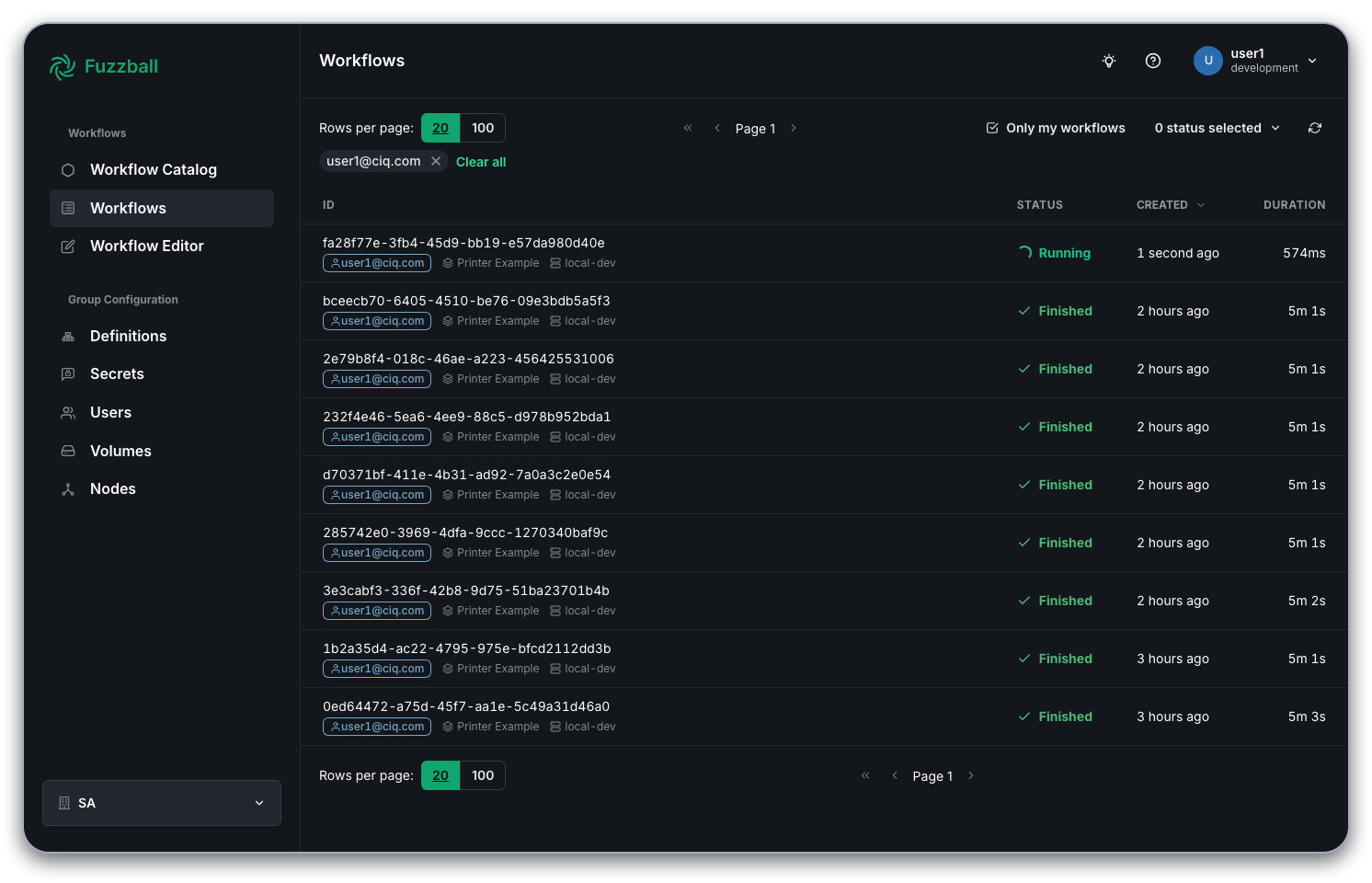
Click on a workflow to view its detailed status dashboard:
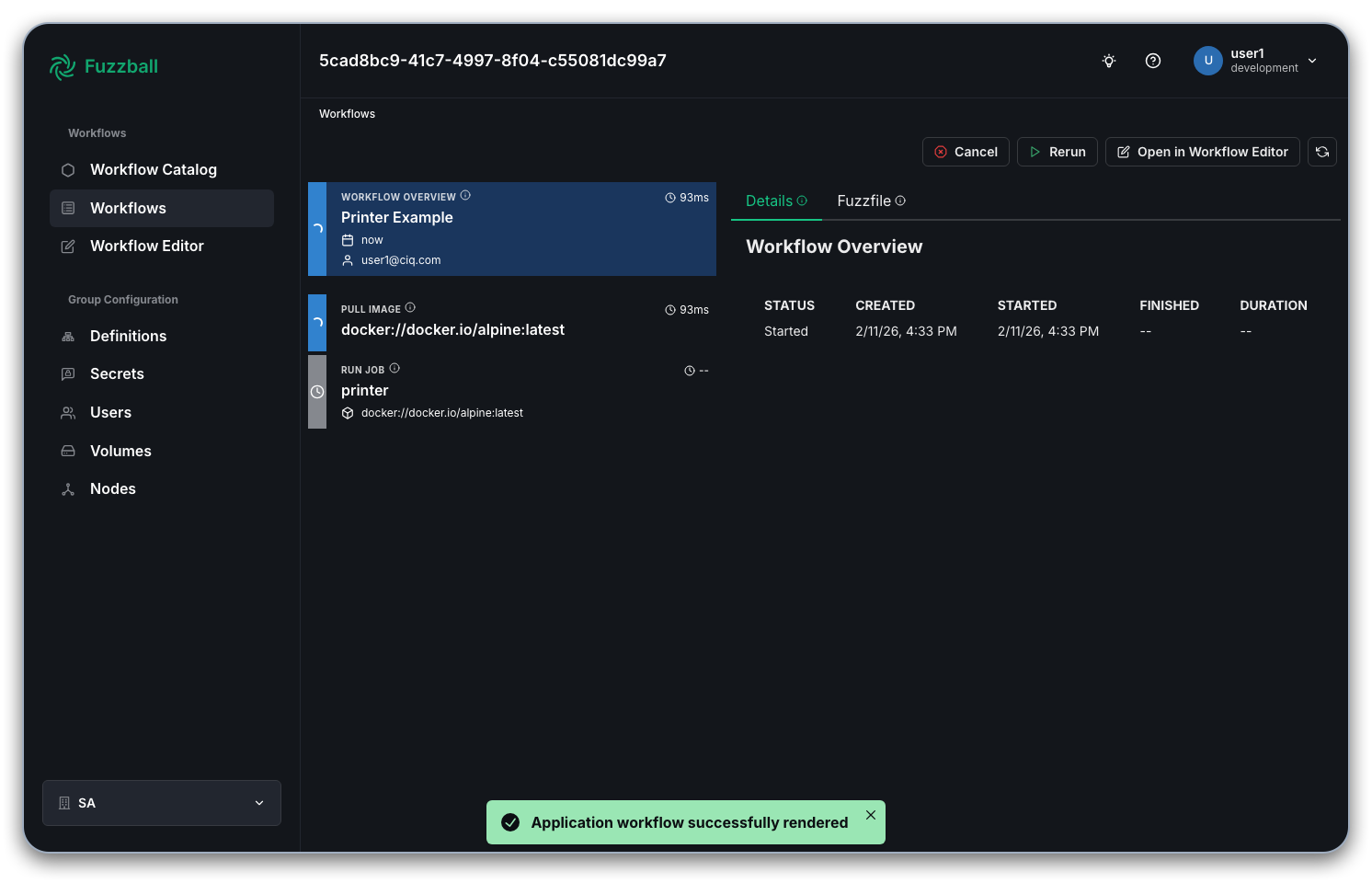
The dashboard shows a Workflow Details pane covering the workflow as a whole, with Events and Fuzzfile tabs. The Events tab lists workflow-level activity; the Fuzzfile tab shows the submitted workflow definition as read-only YAML when it is available. Stages for the workflow (for example, the subtask that pulled the image and the job itself) are listed next to that pane. Select a stage to see its details, including its status, when it started, and how long it has been running. In this example, the job named “printer” has not yet started.
To check the status of a workflow using the Fuzzball CLI, you can issue the following command:
$ fuzzball workflow describe <workflow uuid>
Name:      printer.fz
Email:     user@example.com
UserId:    9f1c2d3e-4a5b-6c7d-8e9f-0a1b2c3d4e5f
Status:    STAGE_STATUS_STARTED
Cluster:   example-cluster
Parent:
Children:  0
Created:   2024-05-14 03:42:35PM
Started:   2024-05-14 03:42:35PM
Finished:  N/A
Error:


KIND     | STATUS   | NAME                                 | DURATION | PERSISTENT VOLUME | VOLUME REFERENCE | DRIVER ID
Workflow | Started  | b0955d8c-bb5f-4ac2-994b-84d1634bcfbd | 1m32s    |                   |                  |
Image    | Finished | docker://docker.io/alpine:latest      | 14s      |                   |                  |
Job      | Started  | printer                              | 1m4s     |                   |                  |
The workflow is named “printer.fz”, after the Fuzzfile used at submission. Its status is “Started”, so at least one job or stage has not yet completed. The “Image” subtask, which pulls the image from the registry, is “Finished”, so it completed without errors. The lone job named “printer” is “Started”, so it is still running.